

Master Freelancing · Claude and AI tools
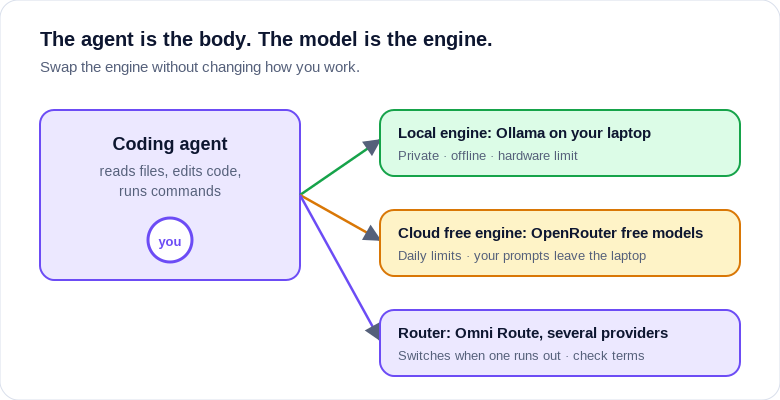
Use Claude-style coding agents for free
Read this first. There is no unlimited, free access to the paid Claude models. Free tiers have daily or monthly limits, change often, and sometimes stop. Some providers forbid certain ways of connecting accounts. Check each provider's current terms, limits and billing page before you rely on it, and never trust a label in a menu over the usage or billing log.
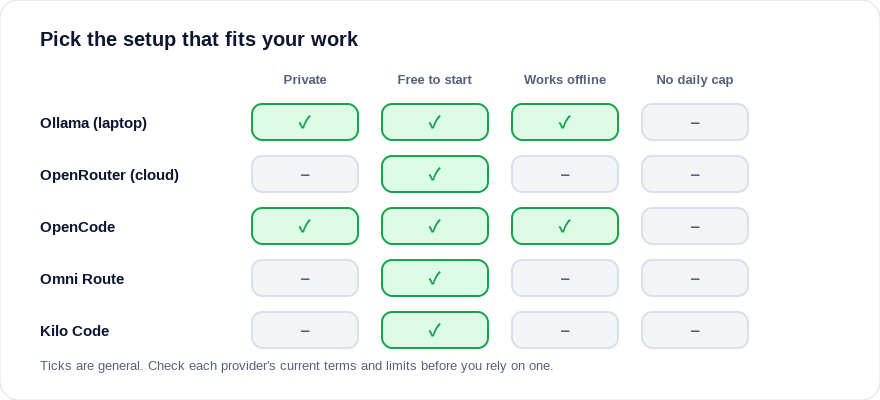
Choose your setup
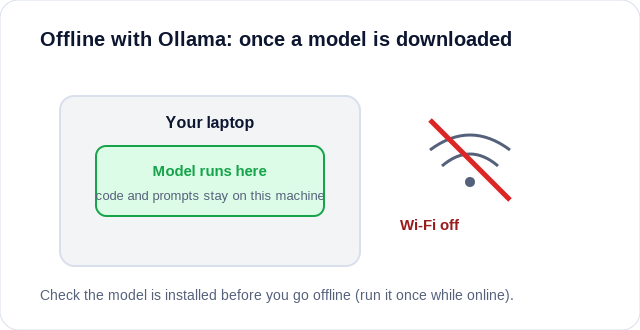
1. Ollama (local, offline)Models run on your laptop. Private and free, limited by your hardware. Best for privacy and offline work.
2. OpenRouter (cloud, free models)One key for many models, including some free ones. Fast, but your prompts go to the provider. Daily limits apply.
3. OpenCode (open-source agent)A terminal coding agent you can point at local or cloud models. Good when you want full control.
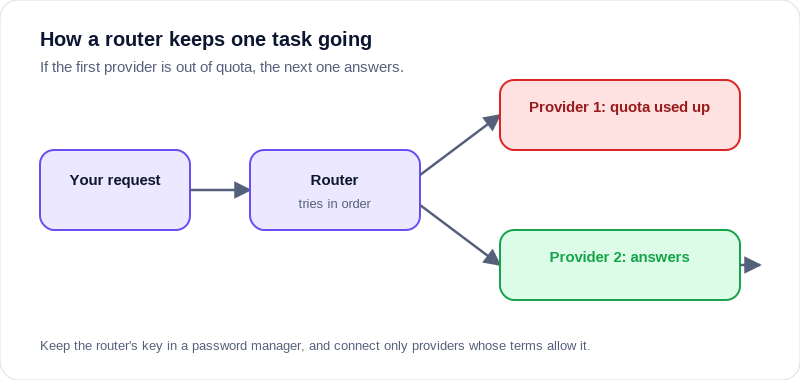
4. Omni Route (routing)A router that tries several providers and switches when one runs out. Convenient, but needs careful terms checks.
5. Kilo Code in VS Code (daily driver)An agent inside the free VS Code editor, with free models and your own provider keys.
6. Google Anti-GravityA free AI coding tool that can run commands for you. Useful for setup, but read every permission it asks for.
1. Ollama: run models on your own computer
Set it up
- Download Ollama from its official site (Mac, Linux or Windows) and install it.
- Open its settings and set the context length higher (for example 32K or 64K). Context is how much of your project the model can hold at once; too small and it loses track.
- Pick a small model first to test, and send it a short message. The first message downloads the model.
- Check your hardware before choosing a bigger model: a graphics card with more memory and more RAM runs larger models. Ask an AI assistant to recommend a model for your hardware, then confirm the model is still current.
2. OpenRouter: free cloud models through one key
Safe way to start
- Create an account and an API key. Give the key a name and an expiry date.
- In the model list, filter for free models before you choose one. Free models change, so check the list each time.
- Set a spending limit on your account, even if you only use free models.
- Store the key in a password manager. Never paste it into a chat, a document or a public file.
- After testing, open the activity log on the OpenRouter site. It shows which model actually answered each request and what it cost. Trust that log over any label in an app.
3. Claude Code with a different model behind it
Anything a guide says about making a paid model free should be checked against the billing page. A model's name in a menu does not prove which model is answering.
4. OpenCode: an open-source terminal agent
5. Omni Route: one router, several providers
Check terms before you connect anything. Some free services do not allow their accounts to be used through third-party routers. Connect only the providers whose terms allow it, and use your own keys.
6. Kilo Code inside VS Code: the daily driver
- Open a folder for your project and trust it.
- Ask for a small, clear piece of work first, such as one screen or one function.
- Review every change before you accept it, and run the code yourself.
- If a model runs out of quota mid-task, switch to another model in the same chat.
7. Google Anti-Gravity: let an AI do the setup
Rules that protect you
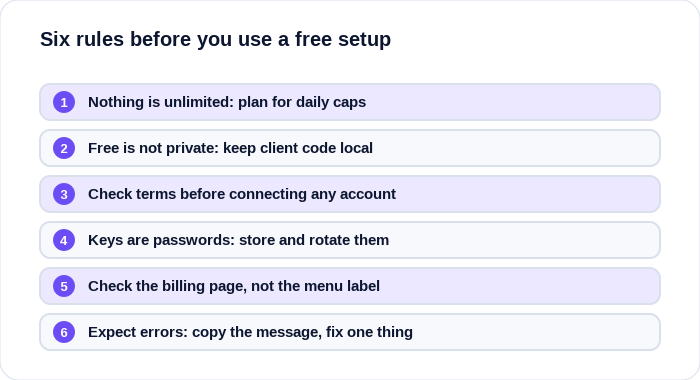
- Nothing is unlimited. Plan for daily caps, and keep a paid option ready for deadlines.
- Free is not private. Hosted providers may store or use prompts. Keep client, personal or confidential code on local models.
- Check terms. Some connections are not allowed by the provider. Your account, your responsibility.
- Keys are passwords. Store them in a password manager, use expiry dates, and rotate any key you have pasted anywhere public.
- Check the bill, not the label. The usage or billing page tells you what you actually paid.
- Expect errors. Copy the error message, ask the agent to explain it, and fix one thing at a time.
