

Master Freelancing
Learn a skill, build a portfolio, find clients and earn. Department by department, from absolute zero to freelance-ready.
Development and IT
Full-stack developerWordPress developerWeb developerShopify developerMobile app developerWebflow developerFront-end developerE-commerce developerReact.js developerBubble.io developer
Available now: textbook (PDF)
AI and Automation
AI video creator and editorAI integration developerChatbot developerMachine learning engineerAI developerAutomation expertn8n expertVibe coderCloud expertAI consultant
Available now: textbook (PDF)
Design and Creative
Logo designerGraphic designerWeb designerVideo editorPhoto editorPhotoshop expertUX designerPresentation designerBranding designer3D modellerUI designerProduct designerMotion graphics designerAnimation specialistAI creative specialist
Available now: textbook (PDF)
Marketing
Social media managerGoogle Ads specialistSEO specialistFacebook and Meta Ads specialistEmail marketerMarketing automation and CRM specialistMarketing strategistLead generation specialistPerformance marketerCRO specialistAffiliate marketerInfluencer marketerGrowth marketerLocal SEO consultantMarketing analyst
Available now: textbook (PDF)
Data Analytics and Data Science
Data analystData scientistData engineerData visualisation specialistBusiness analystData mining specialistMicrosoft Power BI specialistQuantitative researcherSQL developerBI developerAnalytics engineerFinancial analystPython data analystData quality specialistReporting analyst
Available now: textbook (PDF)
Admin and Business Support
Virtual assistantData entry specialistBookkeeperExcel expertPowerPoint expertCold caller and appointment setterCustomer service representativeCRM administratorE-commerce virtual assistantProject coordinator
Available now: textbook (PDF)
Writing and Content
Resume writerCopywriterCreative writerGhostwriterTechnical writerScriptwriterGrant writerEditorProofreaderSEO writerUX writerNewsletter writerLinkedIn content writerCase study writerAI content editor
Available now: textbook (PDF)
Master Freelancing Lesson Guide
Development and ITAI and AutomationDesign and CreativeMarketingData Analytics and Data ScienceAdmin and Business SupportWriting and ContentMaster AI video prompting system
Available now: lesson guide (PDF)
Freelance Business and Agency Development
Are you ready? Choosing a niche and an offerMarketplaces comparedProfile, portfolio, proposals and outreachPricing and quotesContracts, scope and change requestsInvoicing, payments and tax basicsWorking with clientsAgency developmentJobs, part-time work and internships30, 60, 90 and 180-day roadmapPrompt library (104 starters)Assessment rubrics and certificate wordingGlossary of freelance business terms
Available now: textbook (PDF)
Six steps from zero to your first client
Claude and AI tools: free setups
Use Claude-style coding agents for free
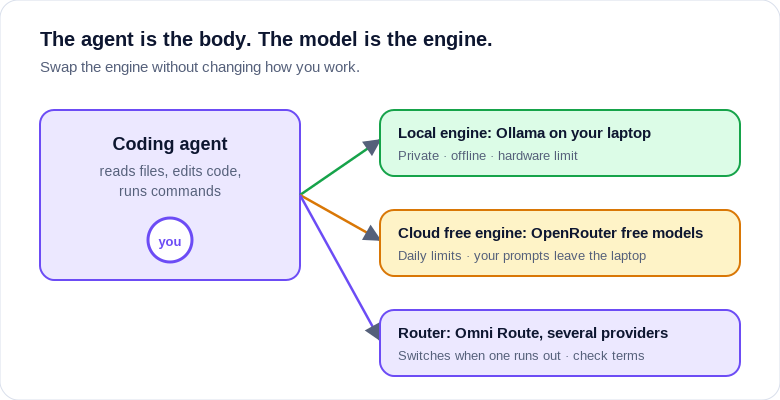
Choose your setup
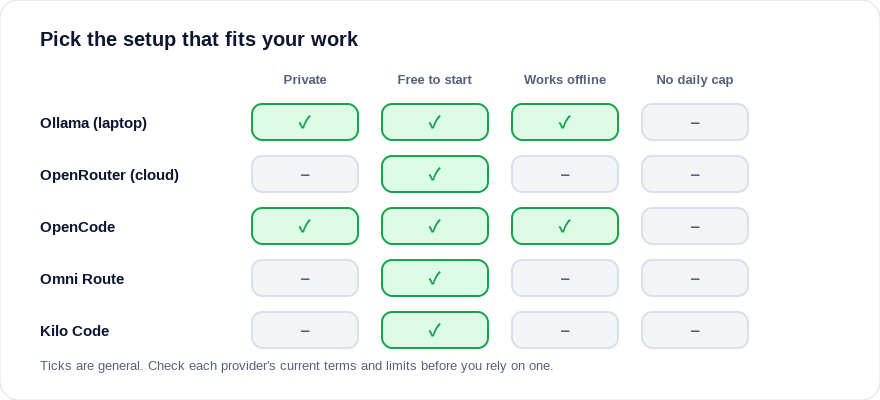
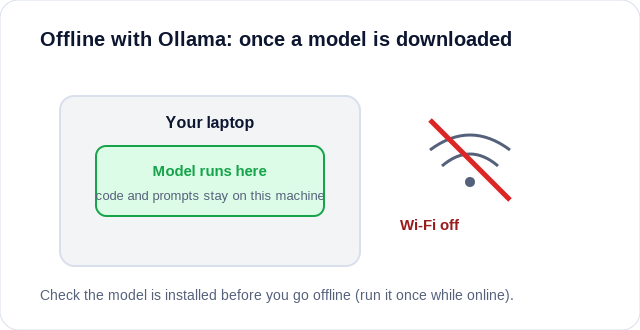
1. Ollama: run models on your own computer
Set it up
- Download Ollama from its official site (Mac, Linux or Windows) and install it.
- Open its settings and set the context length higher (for example 32K or 64K). Context is how much of your project the model can hold at once; too small and it loses track.
- Pick a small model first to test, and send it a short message. The first message downloads the model.
- Check your hardware before choosing a bigger model: a graphics card with more memory and more RAM runs larger models. Ask an AI assistant to recommend a model for your hardware, then confirm the model is still current.
2. OpenRouter: free cloud models through one key
Safe way to start
- Create an account and an API key. Give the key a name and an expiry date.
- In the model list, filter for free models before you choose one. Free models change, so check the list each time.
- Set a spending limit on your account, even if you only use free models.
- Store the key in a password manager. Never paste it into a chat, a document or a public file.
- After testing, open the activity log on the OpenRouter site. It shows which model actually answered each request and what it cost. Trust that log over any label in an app.
3. Claude Code with a different model behind it
4. OpenCode: an open-source terminal agent
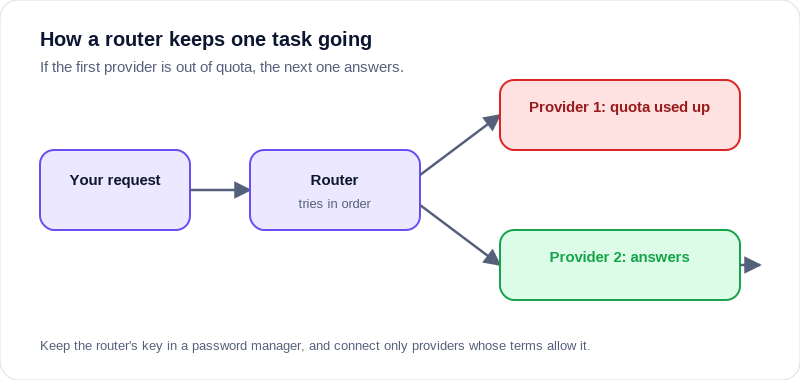
5. Omni Route: one router, several providers
6. Kilo Code inside VS Code: the daily driver
- Open a folder for your project and trust it.
- Ask for a small, clear piece of work first, such as one screen or one function.
- Review every change before you accept it, and run the code yourself.
- If a model runs out of quota mid-task, switch to another model in the same chat.
7. Google Anti-Gravity: let an AI do the setup
Rules that protect you
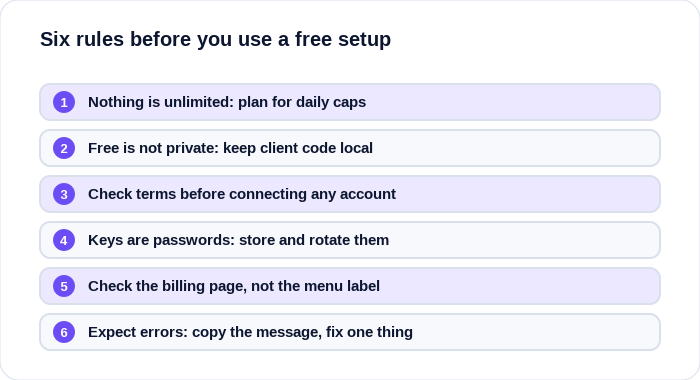
- Nothing is unlimited. Plan for daily caps, and keep a paid option ready for deadlines.
- Free is not private. Hosted providers may store or use prompts. Keep client, personal or confidential code on local models.
- Check terms. Some connections are not allowed by the provider. Your account, your responsibility.
- Keys are passwords. Store them in a password manager, use expiry dates, and rotate any key you have pasted anywhere public.
- Check the bill, not the label. The usage or billing page tells you what you actually paid.
- Expect errors. Copy the error message, ask the agent to explain it, and fix one thing at a time.
